Build Log: Prospect Connect, Personalized Prospect Pages That Never Break
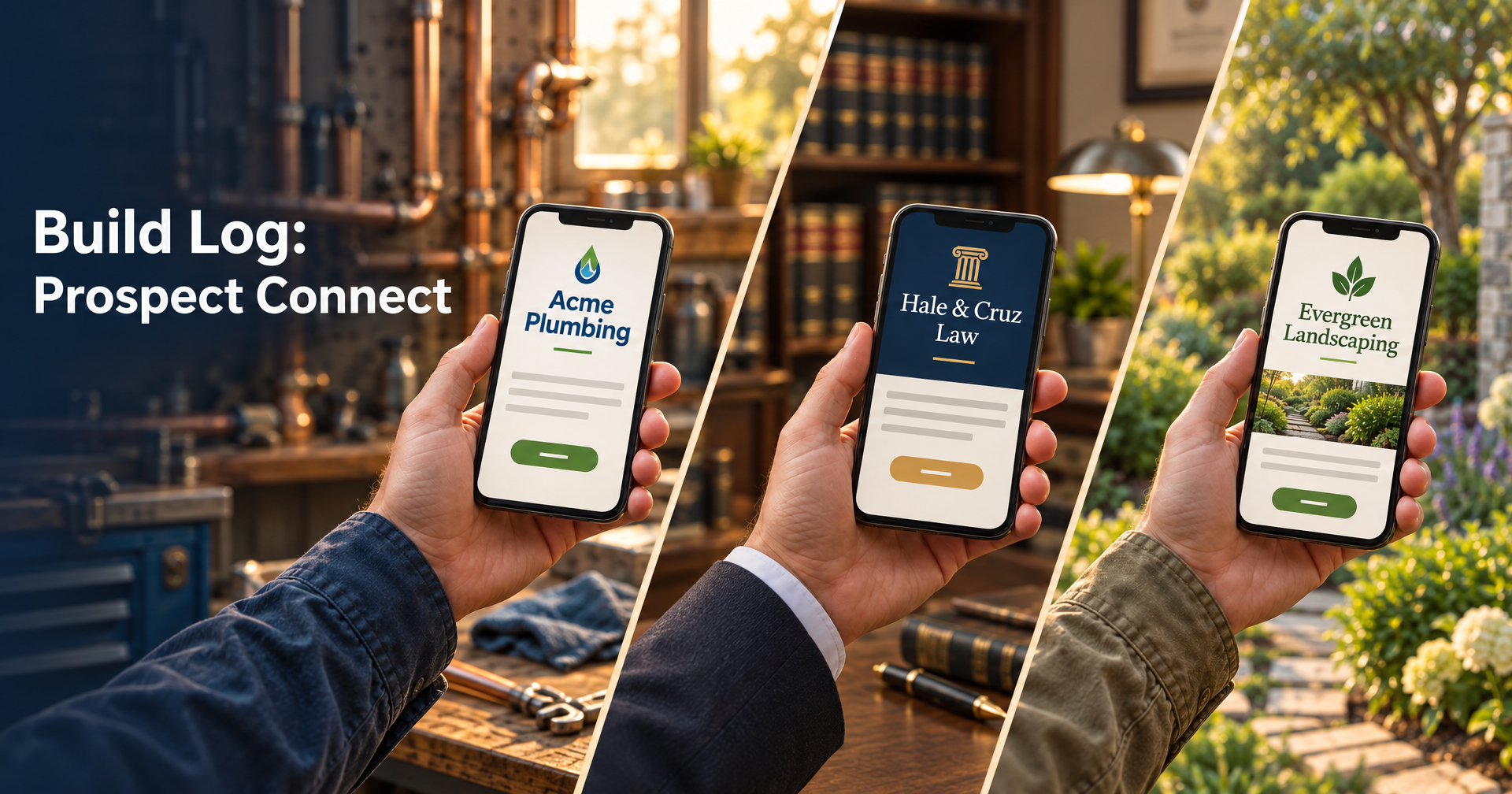
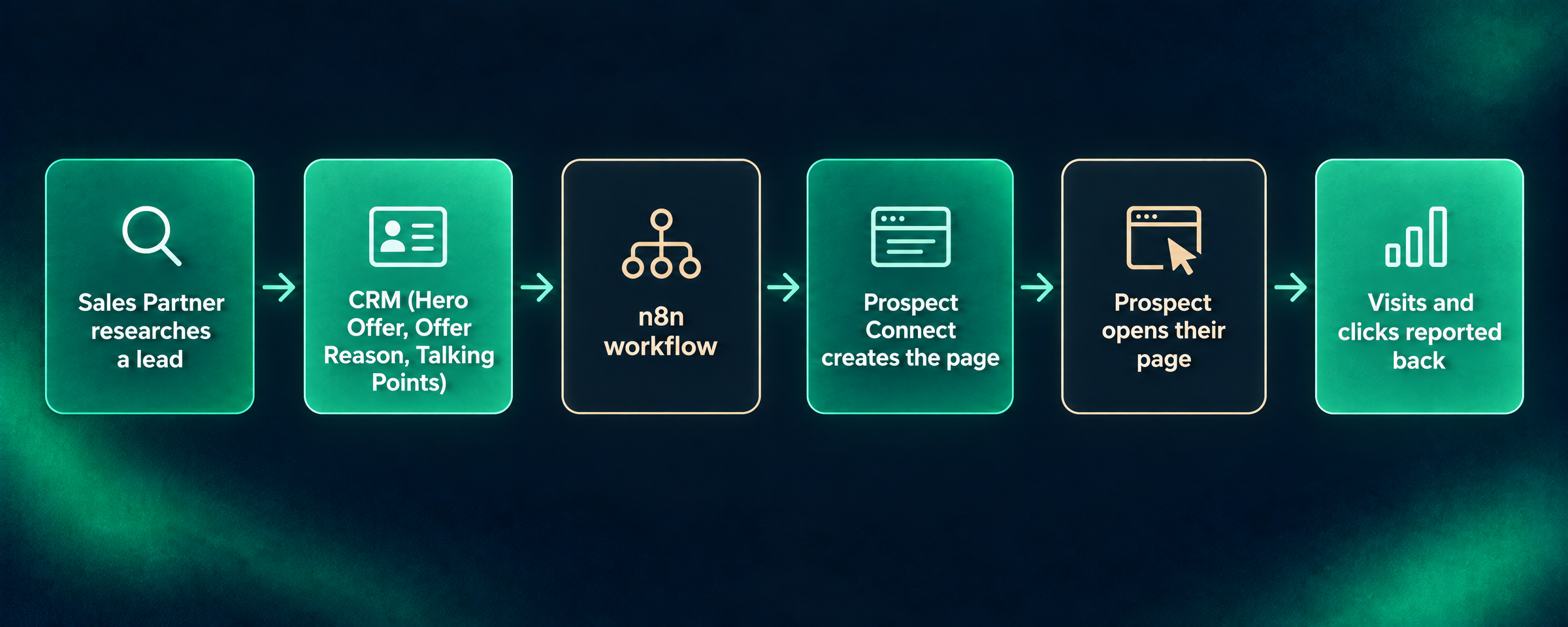
- Prospect Connect turns a researched lead into a personal web page at its own unlisted link, then tracks every visit, click and download.
- A template can't be published unless it renders with sample data and with every optional field empty, so a prospect never gets a broken page. The server checks again on publish.
- Every page is pinned to the template version it was built with. Editing a template moves only the pages that stay healthy, so publishing never breaks a live page.
- AI agents build templates through the same code paths as the admin app, and n8n creates pages from Sales Partner's research with a limited token.
A cold email asks a stranger for a minute of attention. A link to a page made for them, with their company's name, their situation and the one offer that fits, earns more of that minute than a generic sales page does. The catch is volume. Nobody can hand-build a page for every lead, and a page builder that breaks every live page the moment you change the template is worse than no page at all.
Prospect Connect is how we solved that at Webspenser. Our prospecting agent, Sales Partner, researches each lead and writes a recommended offer, the reason it fits, and talking points into our CRM. Prospect Connect turns that research into a page at its own link, like workwith.webspenser.com/demo/acme-inc, and tells us when the prospect opens it, what they click, and what they download.
This is Prospect Connect's Build Log. We update it as we ship, and the update log at the end says what changed. Product discovery came first: a written brief that went through six revisions and a clickable prototype of every screen. The build itself ran from November 2 to November 4, 2026: 27 commits and about 20,000 lines of TypeScript, written with Claude Code. Sales Partner, the agent that feeds it, has its own build log.
What is Prospect Connect?
Prospect Connect is a small content system built for one job: personalized pages for outbound sales. It has four parts:
- Templates. Each one is a small web project: HTML, CSS, images, a data schema that lists the fields a page needs, and sample data for testing.
- Prospect records. One per lead, holding that lead's data. Every record is checked against its template's schema before it's saved.
- Public pages. One unlisted link per record. A page can be turned off or set to expire.
- Analytics. Views, visitors, clicks and downloads, per page and per template.
There are three ways in: an admin app for us, an API for n8n (an automation tool), and an MCP server for AI agents. MCP is the standard way AI assistants like Claude connect to outside tools.
Decision 1: Why are templates code, not drag-and-drop?
Because the code is the truth, and AI is very good at writing it. Visual page builders keep their own model of a page, and the moment you need something they don't support, you're fighting the tool. In Prospect Connect, a template's source files are the only record of how it looks and behaves.
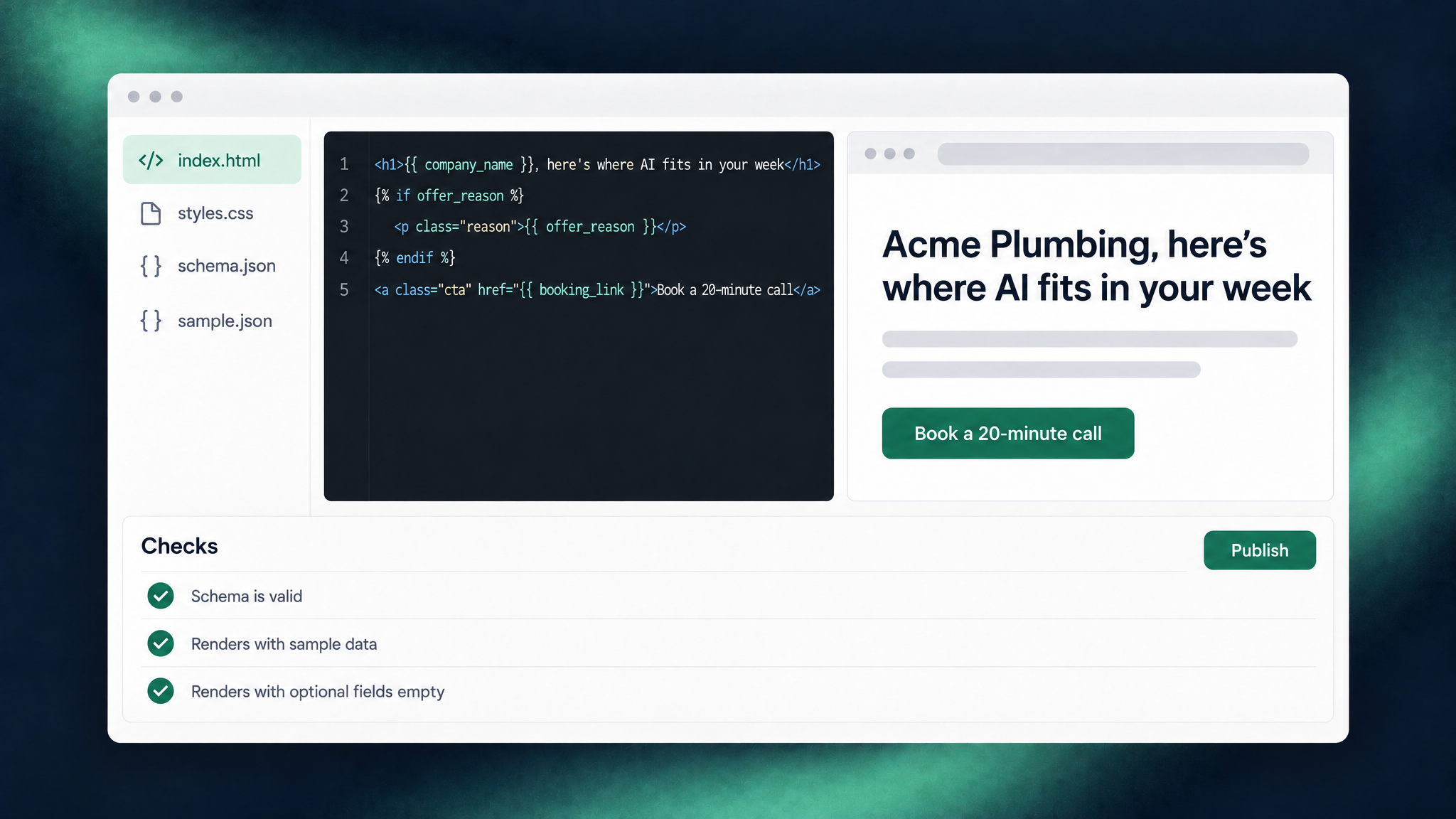
Templates use Liquid, a simple template language. Here's a trimmed example:
<h1>{{ company_name }}, here's where AI fits in your week</h1>
{% if offer_reason %}
  <p class="reason">{{ offer_reason }}</p>
{% endif %}
<a class="cta" href="{{ booking_link }}">Book a 20-minute call</a>
The fields come from the template's schema, which says what each one is, whether it's required, and what to show when it's missing:
{ "key": "company_name",  "type": "text",  "required": true }
{ "key": "offer_reason",  "type": "text",  "required": false, "fallback": null }
{ "key": "brand_primary", "type": "color", "required": false, "fallback": "#1d775b" }
Color fields become CSS variables, so brand_primary is available to the stylesheet as --brand-primary. A page can wear the prospect's own brand color without anyone touching the CSS.
There is a visual side. The editor has a Properties Inspector for spacing, type and color, but it only ever writes to one managed stylesheet that loads last. It never rewrites the authored CSS, and it never replaces a data field with fixed text. You pick what to inspect by placing the cursor in the code, not by clicking the preview, so there's never a guess about which element you meant.
Decision 2: Why can't you publish a template that doesn't render?
Because wrong copy is fixable and a broken page in front of a prospect is not. Prospect Connect runs a short list of checks as you edit, and the Publish button stays off while any blocking check fails:
- The schema is valid.
- The template renders with its sample data.
- The template renders with every optional field left empty.
That third check matters most. Data that arrives from automations is often incomplete: research finds no reason, a logo is missing, a field comes back blank. A template that only works with perfect data will eventually fail on a real lead, so we test the worst case before anyone sees it.
The server runs the checks again when you publish, so a stale browser tab or a direct API call can't slip a broken template through. Two smaller issues, a required field the markup never uses and a missing sample file, show as warnings instead, because a design may leave a field out on purpose.
When a page does use a fallback, it says so. Every page carries a rendering health: healthy, field fallbacks, generic fallback, or error. In the admin app, each has its own shape as well as its own color, so health never depends on telling green from red.
Decision 3: How does editing a template avoid breaking live pages?
Every page is pinned to the template version it was built with, and publishing a new version is a choice, page by page.
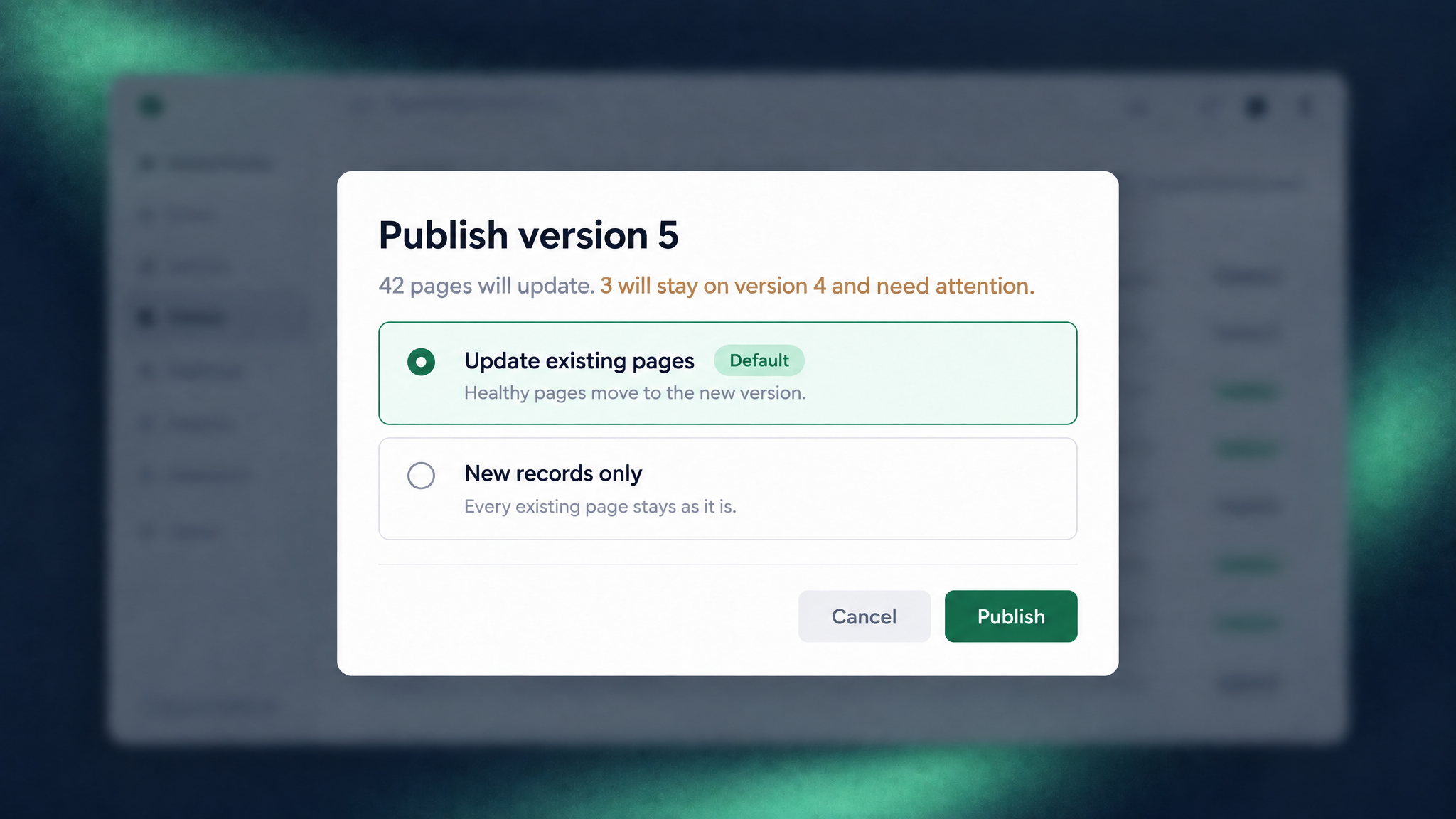
Before you publish, Prospect Connect renders every live page with the new version and compares the result with what that page shows today. Then you pick one of two options:
- Update existing pages (the default). Pages that stay healthy move to the new version. Pages that would get worse, for example because the new version needs a field their record doesn't have, stay on their current version and are listed under Needs attention.
- New records only. Every existing page stays as it is.
Public links never include a version number, so they never change. A prospect who opened their page last week sees a working page this week, whatever we've done to the template since.
Decision 4: Why do AI agents build the templates?
Because it's faster, and because the rules don't change when an agent is driving. Prospect Connect has an MCP server with 25 tools, so Claude Code can create a template, write its files and schema, upload images, run the checks, preview which pages a publish would move, and publish. Each tool calls the same code as the admin app, so an agent faces exactly the same checks and publishing rules we do. It can't publish a template that doesn't render, either.
Access is split by job. Every token has scopes. The token n8n uses can read and write prospect records and nothing else. Only an agent token can edit or publish templates, and tokens can only be created or revoked by someone signed in to the admin app, never through the API.
Templates also carry metadata, such as the customer segment they're for and the offer they pitch. That's how the pieces connect. Sales Partner writes a Hero Offer into the CRM. The n8n workflow asks Prospect Connect for the template tagged with that offer, maps the lead's fields onto its schema, and creates the record. If n8n times out and retries, an idempotency key makes sure the retry returns the first result instead of creating a second page.
What does a prospect see when a link stops working?
A clean Webspenser page, never their data. Offers end, so pages can expire or be turned off. When that happens, the visitor sees a short branded page ("This page has expired" or "This page is no longer available") with a button to get in touch. It never shows the prospect's name or details, and never explains more than the page's state. A missing or unpublished page shows the same "Page not found" either way, so nobody can probe for which prospects exist.
Here's the part we like: a visit to an expired page is still counted, as a return visit. Someone opening a link weeks after the offer ended is thinking about you. That's a warm lead, and Prospect Connect lists those visitors so you can follow up.
How do we know a page worked?
Every link and button on every page is tracked automatically. Nobody has to tag anything. For each page, and rolled up for each template, Prospect Connect reports:
- views and unique visitors, with times and referrers;
- clicks on each link and button;
- downloads of files and PDFs, counted separately from clicks.
Files only download through the page's own address, so a file follows its page: if the page expires, so does the download link. Visits from our own browsers aren't counted, so testing a page doesn't inflate its numbers.
We're careful with one word. A click is not a conversion. Prospect Connect tells you who engaged and how. Whether they booked a call lives in the CRM.

What were the interesting technical bits?
- Pages render when published, not when visited. The finished HTML is stored and served as is. Pages load fast, and if something can't render, we find out at publish time, not when a prospect clicks.
- Two addresses, on purpose. The admin app lives on one domain behind Cloudflare Access. Prospect pages live on another that holds no logins or keys. Template code only ever runs on the public side, so a mistake in a template can't reach the admin app.
- No servers to look after. Everything runs on Cloudflare: Workers for the code, D1 for the database, R2 for files and images.
- One library didn't fit. The usual tool for checking data against a schema, Ajv, builds its checks by generating code at runtime, and Cloudflare Workers don't allow that. We compile our schemas to standard JSON Schema and validate them with a library built for Workers instead.
- Same renderer everywhere. The preview in the editor, the checks, and the published page all use the same rendering code, so what you see is what the prospect gets.
What's still hard?
- No rollback yet. To undo a template change, you publish a fixed version. Republishing an older version in one step is on the list.
- No bulk import. Records arrive from n8n or are added one at a time. Uploading a CSV or JSON file of prospects is next.
- Checks prove a page renders, not that it looks right. A long company name can still wrap awkwardly on a phone. Layout checks, like "the headline fits in three lines on mobile", are out of scope for now.
- One admin. It's built for a single technical owner. More people means roles and permissions we haven't needed yet.
Why does this matter for a small business?
Prospect Connect is a prospecting tool, but the pattern under it is common. Data you already have, such as research, a CRM record or a form submission, goes in. A system with guardrails turns it into something a customer sees: a proposal, a quote, an onboarding page, a monthly report. And it reports back what happened. The guardrails are the part people skip. They're also what let you leave it running.
A system like this fits when the same kind of document gets rebuilt by hand every week, the data for it already lives in your tools, and a broken or wrong version in front of a customer would cost you. If outbound is where you're stuck, start with how Sales Partner finds and researches leads.
Frequently Asked Questions
Are the pages private?
They're unlisted. Each page lives at a link that isn't published or indexed anywhere, and you can turn a page off or set it to expire. Once a page is off, it never shows the prospect's data again.
Does it work with my CRM?
Prospect Connect takes data through a standard web API, so anything that can send a web request can create pages: n8n, Zapier, Make, or a CRM's own automations. We use Attio and n8n.
Can I buy Prospect Connect?
It's our own internal tool, and we're not selling it as a product. We build systems like it for clients, shaped around their data, their tools and the documents they send.
Want a system like this built for your business? Book a discovery call and tell us what you rebuild by hand every week.
Update log
- November 4, 2026: first draft, covering the build from November 2 to November 4.
Want a System Like This Built for You?
Tell us the page, proposal or report you rebuild by hand every week. We'll scope a system that builds it from your data, with checks that keep it from breaking.

More from the blog
Keep reading and learning


Every other Tuesday, one short email. A real moment from a small business, why people act that way, and the automation that handles it. Three minutes. No jargon, no hype.