Build Log: Sales Partner, the AI Prospecting Agent We Run on Our Own Pipeline
- Sales Partner finds businesses that fit your ideal customer, researches them, picks the offer most likely to land, and writes it all into your CRM. Then it stops, and you decide who to contact.
- Its most important rules, like never contacting a prospect and never deleting a record, are checked by code before every call to your tools, not just written in its instructions.
- It got better by doing less: we cut outreach drafting because drafts written before deep research were wasted effort.
- When we added research back, owner search, social profiles and a point of contact per lead, each came with its own limits.
Every week I open our CRM and find fresh leads waiting: new companies that fit our ideal customer, already researched and qualified, each with a recommended offer, a named person to reach, and talking points with sources. Nobody at Webspenser spent the week finding them. Sales Partner did, on a schedule, while we worked on other things.
Sales Partner was born out of a need inside Webspenser. I wanted a lead generation tool that was flexible, agentic and cost-conscious, and thought our clients would interested in one too. So we built it. I believe in using your own product before you ask anyone else to. The first live Sales Partner is Webspenser's own, and it has completed several successful scheduled runs.
This is Sales Partner's Build Log. We update it as we ship, and the update log at the end says what changed. So far it covers September 1 to November 4, 2026: 236 commits and eight major versions, from 1.0 to 8.4. Sales Partner is built on Agent Builder, our standard for safe AI agents, which has its own build log.
What does Sales Partner do?
Sales Partner does the groundwork of outbound sales:
- Finds businesses that fit your ideal customer and scores each against your own criteria, writing down its reasons.
- Researches the promising ones: what's changing at the business, who decides, how to reach them, and what their reviews, ads, job posts and website say.
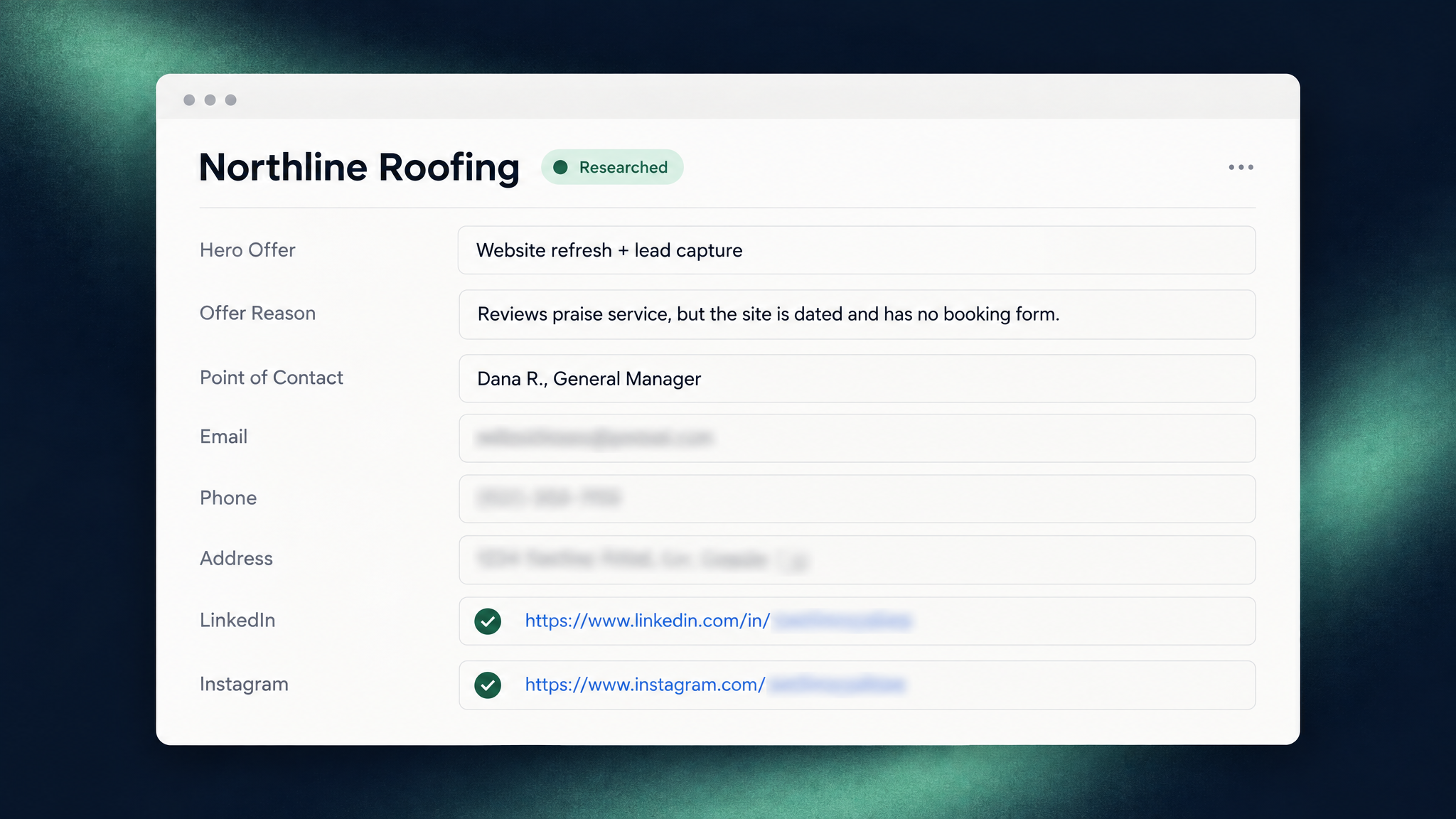
- Matches the one offer from your catalog most likely to land, names a point of contact, and writes sourced talking points into your CRM.
A finished lead sits at a stage called Researched. You read the work, move the leads you like to Approved, and your own sequences, automations or calls take it from there.
It runs inside Claude Code, Anthropic's AI assistant for working with files and tools, as a scheduled cloud routine: a job that runs on a timetable with nobody at the keyboard. It connects straight to your CRM (Attio or HubSpot today), records each run in your own Airtable base, and sends you a weekly digest by email.
The name is a holdover. Sales Partner started as a partner for the whole sales lifecycle and, over time, narrowed to prospecting. We could call it Prospect Partner. We've kept Sales Partner because its abilities may grow again.

Why does it stop at "Researched"?
Because everything past research is a relationship, and relationships belong to you. The agent's rules say it never contacts prospects, never moves a lead past Researched, can mark a business Do Not Contact but never clear the mark, and never deletes or merges records.
Those rules aren't only in its instructions. A guard checks every call to your tools against a small policy file before the call happens. Here's a trimmed version of Sales Partner's Attio policy:
covers: [approval_only, dnc_one_way, no_delete]

allow: [list-*, get-*, search-*, create-record, update-record, create-note, update-note]
deny: ["*delete*", "*merge*", create-list, update-list]

rules:
  - field: stage
    create: [New]
    update: [Scored, Researched, Disqualified]   # never Approved or later
  - field: research_anyway
    forbid: true                                 # an owner-only checkbox
  - field: do_not_contact
    update: [true]                               # it can set "no", never clear it
allow lists the only calls the agent may make, and deny always wins. rules limit what it may write: no stage past Researched, no touching your "Research Anyway" box, and Do Not Contact only ever set. A blocked call never reaches your CRM:
Blocked by sales-partner guard policy (crm/attio): stage may only be written as Scored, Researched, Disqualified on update
Not every promise is guard-enforced, and we'd rather show you where the line is. Skipping a business marked Do Not Contact is a rule in the agent's instructions, because the guard can't see a lead's flag during research. The Agent Builder build log explains how the guard works and when an agent may run on its own.
Why did we cut outreach drafting?
We wanted to focus on getting one part of the workflow right before trying to boil the ocean. Early versions went through the whole sale: a first-touch draft for email, LinkedIn or a call, follow-ups, and call briefs. But drafting at a stage where the agent hadn't deeply researched, enriched or validated a lead was wasted effort. It spent tokens writing talking points that weren't relevant.
- Mailbox access. September (Sales Partner 1.x): Wrote drafts in Gmail, including the owner's digest. Today (Sales Partner 8.4): None.
- Outreach drafting. September (Sales Partner 1.x): A first-touch draft, plus follow-ups and call briefs. Today (Sales Partner 8.4): None. It writes talking points and names a point of contact.
- How far it goes. September (Sales Partner 1.x): Through the sale. Today (Sales Partner 8.4): Stops at Researched.
- Who it messages. September (Sales Partner 1.x): Only you, through a Gmail digest. Today (Sales Partner 8.4): Only you: a weekly digest and alerts.
- Social platforms. September (Sales Partner 1.x): Never automated. Today (Sales Partner 8.4): Reads public profiles, never follows, connects or messages.
The mailbox went first. Drafts are harmless, but mailbox access sits right next to "send". Sales Partner 7.0 removed it.
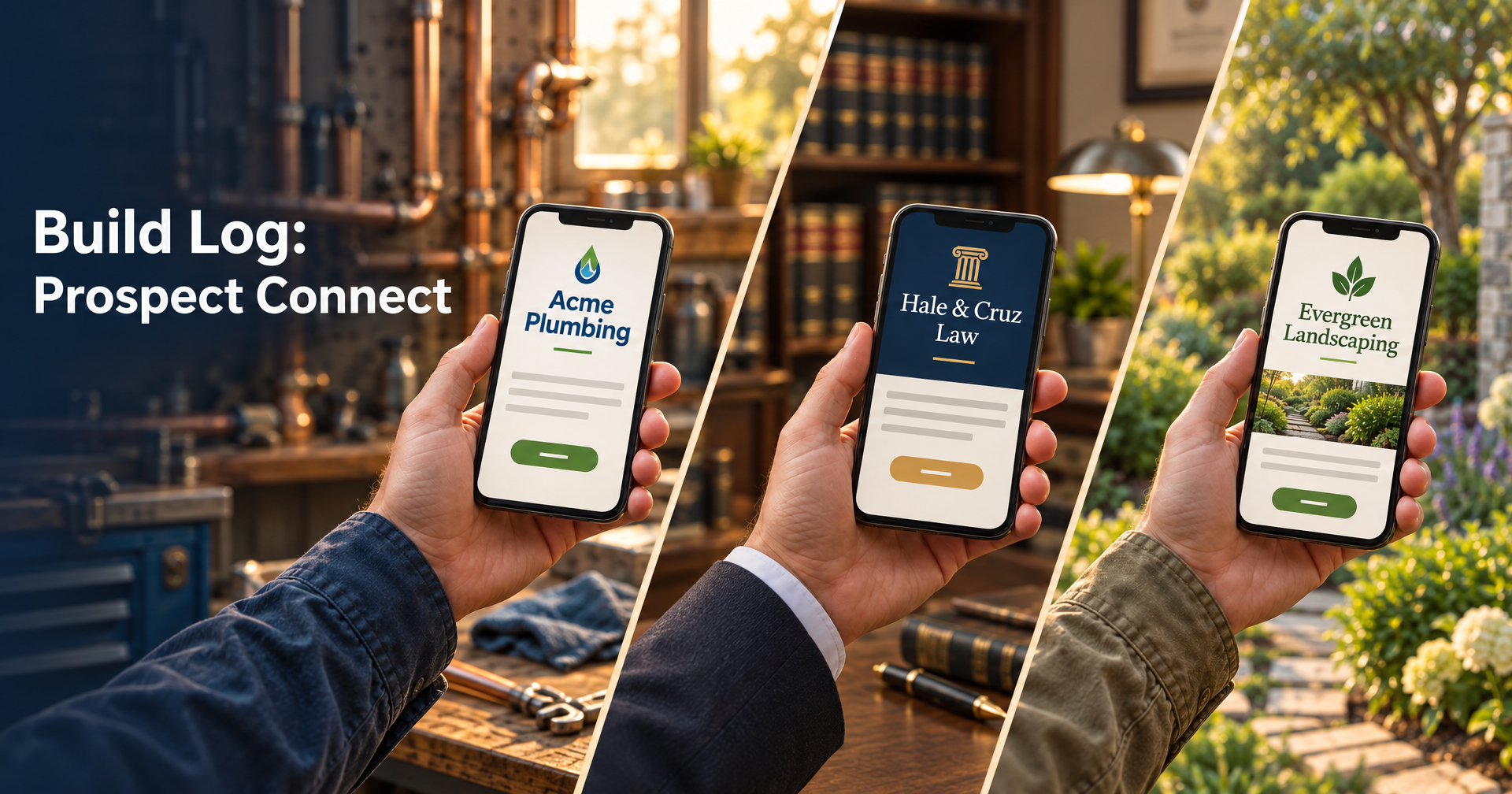
Then the drafts. Sales Partner 8.0 replaced them with CRM fields your own tools can use: a Hero Offer (the one offer it recommends), an Offer Reason, and Talking Points. At Webspenser, an n8n workflow (n8n is an automation tool) reads those fields and builds a personalized web page for each lead with Prospect Connect, our page-building tool, which will get [INTERNAL-LINK: its own build log] soon.
It talks only to you. The digest and alerts go through Resend, an email-sending service, to an address set at setup. The guard refuses any other recipient.
Scaling email outreach is a whole different problem and we didn't want to reinvent the wheel inside of Sales Partner. We have other in-house automations that create custom prospecting assets and add them to the right email sequences. The work still gets done by a trusted system, it just lives outside of Sales Partner.
How did we add research back without loosening the rules?
By late October the agent was safe, but too many leads came back with nobody to talk to. Sales Partner 8.2 to 8.4 added three things, each with its own limits.
Finding the owner (8.2). On October 31, 16 of 30 leads the agent had researched had no decision-maker. We ran Exa, a web search service built for AI agents, on all 30. For the 16, it named a likely owner for 8, several from a contractor licence record, the Better Business Bureau, or the company's own team page. For the other 14, it matched the person the agent had already found every time, often adding a surname or a co-owner. Cheap directory sites produced stale or conflicting names.
So every name is now graded by the page it came from. The business's own site, a licence record, BBB or a matching LinkedIn profile can support a verified decision-maker. A directory alone can't. Exa is optional: without it, every run works as before. When it's connected, its guard allows only its basic search tool.
Finding their social profiles (8.3). We work many leads on social media before email. Sales Partner now looks for each contact's public LinkedIn profile through Apify, a web-scraping service, and Instagram, Facebook and TikTok through Exa. Its instructions allow one Exa search per lead for the owner and one per contact for profiles. Confident matches go into the person's CRM fields. Uncertain ones go into a note with the reasons, so you pick. It keeps only links and match reasons, never reads behind a login, and never follows, connects or messages.
Naming a point of contact (8.4). Our email workflow needs one person per lead. Only people with an email address qualify, and the most senior wins, so a general manager with an email beats an owner without one. If you change the pick, the agent leaves yours alone. That rule is in its instructions: it records its own pick, so it can tell when the field holds yours.
How do you know what it did and what it cost?
An agent you leave running has to leave receipts.
A run log you own (enforced by the guard). Every run is recorded in your own Airtable base. The guard lets the agent add rows but never change or delete them. Its instructions also use the log to skip searches that found no new leads in the past 30 days.
Sourced, or marked unverified (by instruction). Every fact about a prospect should carry a source link or be labeled unverified. Claims about your business come only from your setup interview.
Web research with locked settings (enforced by the guard). Sales Partner reads Google reviews, Google and Facebook ads, Indeed job posts, prospects' websites and LinkedIn profiles through Apify. The guard fixes safety settings, such as fetching reviews without reviewer names and capping each call's size, and allows only secure, public start addresses.
A budget per lead (by instruction, with a hard ceiling). Apify spend stops at $0.50 per lead per run by default. A lead that hits the cap is flagged "Research Capped", with a note listing the skipped sources, so you decide whether it's worth more. The hard ceiling is the monthly limit you set in your own Apify account.
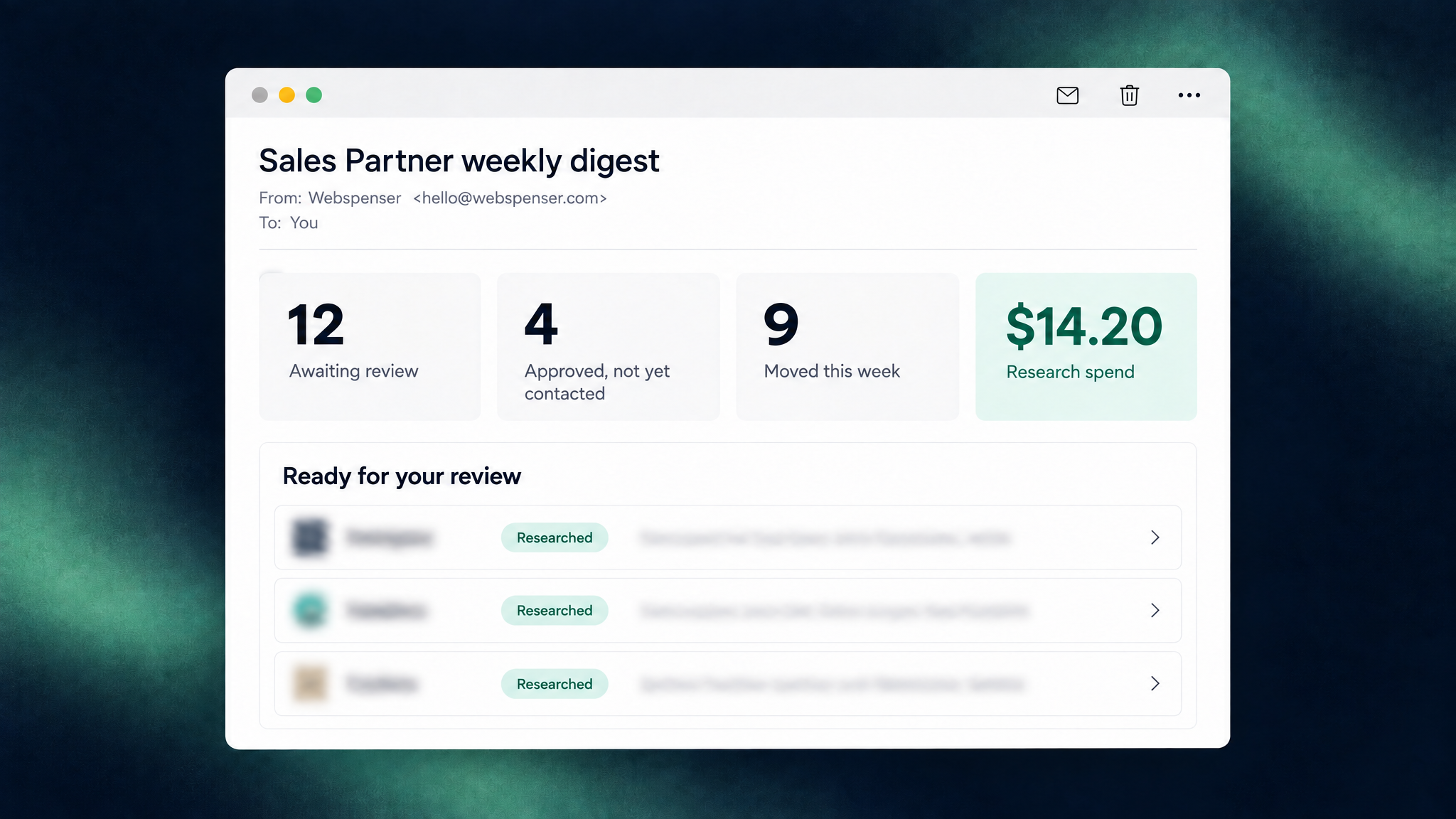
A weekly digest. What's waiting for review, what's approved but not yet contacted, what moved, and what research cost.
What broke when we turned on scheduled runs?
On October 26, a scheduled prospecting run on our instance stalled at its first Apify call. The guard blocked every Apify call and every email to us. It was failing closed, as designed, for a reason we hadn't planned for: the cloud routine's copy of our settings looked different from a laptop's, and the guard treated "can't tell" as "no". Sales Partner 8.1.1 and 8.1.2 fixed it, and added a check that stops a cloud run from quietly using an older release. Since then, our scheduled runs have completed successfully.
What's still hard?
- Matching people is judgment. Grading names by source and splitting confident from uncertain profile matches cuts errors, but doesn't end them. We're trialing social profiles on 5 to 10 leads, and passing means no wrong confident matches.
- Upgrades are manual. Moving to a new release means editing the cloud environment and re-running the schedule.
- The guard sees one call at a time. It can check that a web address is public and secure, not that the site belongs to the lead.
- Some rules are instructions. Skipping Do Not Contact leads, the per-lead budget, search limits and keeping your point of contact are followed by instruction and backed by tests, not enforced by the guard.
Is Sales Partner right for your business?
It fits when you sell to other businesses, finding and researching leads eats hours every week, your pipeline lives in a CRM, and you want to stay the one who decides who gets contacted. If leads slip through on the inbound side too, read how small businesses lose leads they already have.
Frequently Asked Questions
What does it cost to run?
You use your own accounts:
- a paid Claude plan, which runs the agent and its schedule;
- Apify for research, capped at $0.50 per lead per run by default under a monthly limit you set;
- optionally Exa for owner and profile search, about $0.007 per search in our test;
- Resend for the digest (the free plan is enough);
- Airtable for the run log (free for a trial, the Team plan for production).
See our services for done-for-you setup.
Does it ever send emails or messages to prospects?
No. It has no tool that can, and the guard blocks any email to an address other than yours. It also never follows, connects, likes or messages on LinkedIn or any other social platform. Outreach happens in your own tools, after you approve a lead.
Can a malicious website trick it?
A web page can contain text designed to confuse an AI, which is why the rules that matter don't depend on the agent's judgment. Even a confused agent can't contact a prospect, delete a record, approve a lead, or clear a Do Not Contact mark through its connected tools. The gaps that remain are listed under "What's still hard?" above.
Want Sales Partner set up for your business? Talk to us. Or look under the hood: it's open source at webspenser/sales-partner.
Update log
- November 4, 2026: first draft, covering Sales Partner 1.0 to 8.4.0 (September 1 to November 4).
Want Sales Partner Filling Your CRM?
We connect it to your tools, run the setup interview with you, and turn on the weekly schedule. You stay the one who decides who gets contacted.

More from the blog
Keep reading and learning


Every other Tuesday, one short email. A real moment from a small business, why people act that way, and the automation that handles it. Three minutes. No jargon, no hype.